Ever looked at a cool website design and thought, "Man, I wish I could make that a real website just by snapping my fingers"? Well, guess what - AI is making that dream come true! Turning designs into actual HTML and CSS code automatically isn't some sci-fi thing anymore - it's happening right now, and it's changing how we build websites.
Picture this: You've got an awesome design ready to go. Instead of spending hours typing out code, you just upload the design and boom - your website's ready to roll. Sounds too good to be true, right? But it's not, thanks to smart AI tools like Img2html . They're making it super easy to go from design to working website in no time.

In this guide, we're gonna dive into all the cool stuff about automatic HTML and CSS generation. We'll check out the tools, what's new, and how to make the most of it all. Whether you're a coding pro looking to speed things up or a designer who wants to see your ideas come to life without all the coding headaches, we've got you covered. So grab a drink, get comfy, and let's explore how to make your web development life a whole lot easier.
What's Automatic HTML and CSS Generation?
Okay, so before we get into the nitty-gritty, let's break down what we're talking about here. Automatic HTML and CSS generation from designs is basically when you use special software to turn your visual designs into actual web code. It's like magic, but with computers and AI doing the heavy lifting.
How It Works
- Upload Your Design: You start by uploading your design - could be a picture, a file from Photoshop, whatever.
- AI Does Its Thing: The tool's AI looks at your design and figures out what's what - like where the headers are, where the buttons should go, that kind of stuff.
- Code Appears: Based on what the AI sees, it spits out HTML and CSS code that matches your design.
- Tweak If You Want: Most tools let you fiddle with the code if you need to make it just right.
- Use It: Once you're happy, you can use that code to make your actual website.
The Tech Behind It
The secret sauce here is AI that's really good at looking at pictures. These AIs have seen tons of websites and their code, so they've learned how to turn pictures into code. Plus, they often work with modern stuff like React, Vue, and Angular, so the code fits right in with what developers are using today.
Why Automate HTML and CSS from Designs?
You might be thinking, "Why bother with all this automation stuff?" Well, here's why it's pretty awesome:
It's Fast
Coding everything by hand takes forever, especially for fancy designs. Automation cuts that time way down, so you can try out ideas and make changes super quick.
It's Accurate
Let's face it, we all make mistakes when we're typing out code. Automated tools don't get tired or distracted, so they're less likely to mess up the little details.
You Can Focus on the Cool Stuff
When you're not spending all your time on the boring parts of coding, you can spend more time making your website awesome and working on the fun, creative bits.
It Saves Money
If you're running a business, time is money. Automating code generation can save you a ton of cash, especially if you've got lots of websites to make or update.
Anyone Can Do It
Not everyone knows how to code, but these tools make it so almost anyone can turn a design into a real website. It's like giving superpowers to designers who don't know how to code.
What's New in Automatic Code Generation
This field is moving fast, and there's always new stuff happening. Here's what's hot right now:
AI's Getting Smarter
The AI behind these tools is constantly improving. They're getting better at understanding designs and writing code that's cleaner and more efficient.
Working with Design Tools
A lot of these code generation tools are now buddying up with popular design software like Figma and Adobe XD . This means you can go from design to code even faster.
Playing Nice with Modern Frameworks
As more people use stuff like React and Vue, these tools are making sure they can create code that works with these modern frameworks.
Mobile-First is a Big Deal
With everyone using their phones for everything, these tools are focusing on making sure the websites they create look great on mobile first.
More Control for Users
People want to be able to tweak things, so tools are adding more ways for users to customize the code they get.
Cloud-Based is the Way to Go
More and more of these tools are moving to the cloud. This means you can work on your projects from anywhere and team up with others more easily.
Tips for Effective Code Generation
Want to make the most of these automatic code generation tools? Here are some tips:
Pick the Right Tool
Not all tools are the same. Look at what features they have, if they work with your design software, and what other people are saying about them.
Keep Your Designs Tidy
The cleaner and more organized your design files are, the better the tool will understand them. Use clear names for things and keep your layouts neat.
Use the Customization Options
Most tools let you tweak the code they generate. Take advantage of this to make sure everything's just how you want it.
Think About Speed
Good code isn't just about looking right - it needs to load fast too. Make sure the tool you're using creates code that won't slow down your website.
Stay Up to Date
These tools are always adding new features. Keep an eye out for updates and new stuff you can use to make your work even better.
Test, Test, Test
Always check how your website looks on different browsers and devices. It's better to catch any problems early on.
Top Tools for Converting Designs to Code
There are lots of tools out there that can turn your designs into code automatically. But one that really stands out is Img2html . Let's take a closer look at why it's so good.
Img2html: A Smart Option
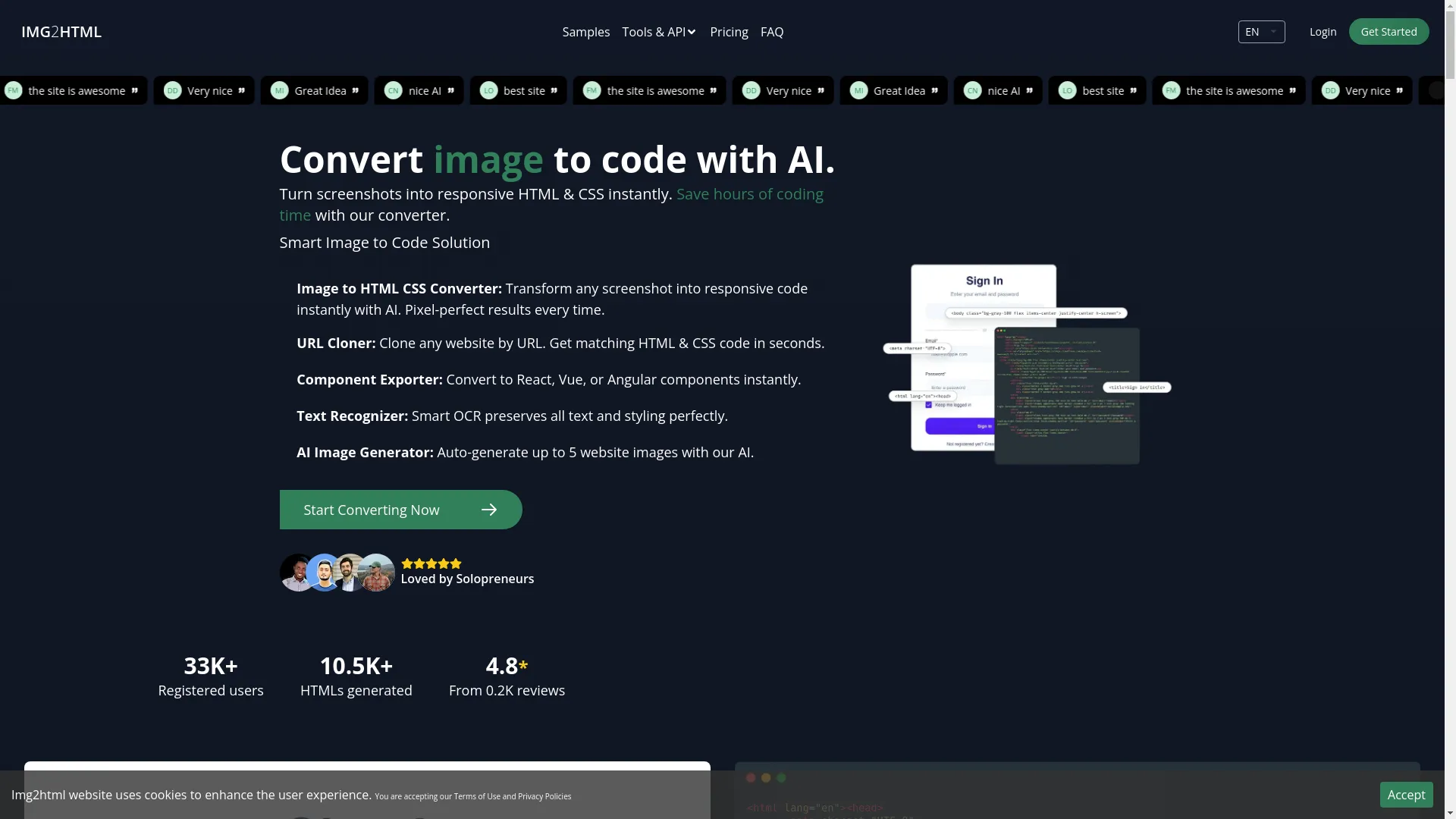
Img2html
Img2html is an AI-powered tool that's all about turning your design mockups into clean, responsive HTML and CSS code without any fuss. Whether you're a developer trying to speed things up or a designer who wants to see your ideas come to life without learning to code, Img2html has got something for you.
What It Can Do:
- Turn Images into HTML and CSS: Just upload your design, and Img2html will turn it into code that looks exactly like your original.
- Copy Websites: It can clone any website you give it the address for, giving you the HTML and CSS in seconds.
- Make Components: It can turn your designs into React, Vue, or Angular components right away.
- Read Text: It's smart enough to recognize and keep all the text and styling from your design.
- Create Images with AI: It can even make up to 5 website images using AI to make your designs better.
- Chrome Extension: There's a handy Chrome extension that works on Windows, Mac, and Linux for quick background transformations.
- API: You can connect Img2html to your other tools and services to make your workflow even smoother.
Why People Like It:
- Img2html is popular with over 33,000 users who've made more than 10,500 HTMLs with it. It's known for being really accurate and fast. Plus, it's easy to use and works with modern coding stuff, so it's great for all kinds of projects, from small personal sites to big company websites.
How Img2html Does Its Thing
Understanding how Img2html works can help you get the most out of it. Let's break down the main parts:
Image to HTML CSS Code Converter with AI
This is the heart of Img2html. It takes your design and turns it into code.
How it Works:
- Upload Your Design: You give it your design file or screenshot.
- AI Looks at It: The AI checks out your design and figures out what everything is.
- Makes the Code: It creates HTML and CSS that matches your design and works on all devices.
- You Get the Code: You can then download the code and use it in your project.
Why It's Cool:
- Saves Time: No more spending hours coding by hand.
- Super Accurate: The code looks just like your design.
- Works Everywhere: The websites it makes look good on phones, tablets, and computers.
Chrome Extension
Img2html also has a Chrome extension that makes things even easier.
What It Does:
- Change Backgrounds: You can easily change image backgrounds right on the webpage.
- Works on Any Computer: It doesn't matter if you use Windows, Mac, or Linux.
- Quick Conversion: You can turn images into code without even going to the main Img2html website.
How to Use It:
- Get the Extension: Go to img2html.com/chrome to add it to Chrome.
- Go to a Website: Find a website you want to work with.
- Use the Extension: Click on it to change backgrounds or turn images into code.
- Use the Code: Copy the code it gives you and use it in your project.
API Integration
If you're running a business or doing lots of web development, Img2html's API can be super helpful.
Why It's Great:
- Automate Everything: You can set it up to automatically turn designs into code.
- Make It Work for You: You can adjust it to fit exactly what you need.
- Handle Lots of Work: It can deal with tons of designs without slowing down.
Getting Started:
- Sign Up: Make an account on Img2html and get your API key.
- Set It Up: Use their instructions to connect the API to your stuff.
- Start Using It: Now you can automatically turn images into code whenever you need to.
Keeping Up with Web Trends
To make sure the code you're getting isn't just good, but also up-to-date with what's happening in web design, here's what these tools are doing:
Mobile-First
Since most people use their phones to browse the internet now, tools like Img2html make sure the websites they create look great on mobile devices first.
Making Things Fast
Websites need to load quickly to keep people happy and show up in search results. These tools make sure the code they create is lightweight and fast.
Working with Modern Stuff
Lots of websites use things like React, Vue, and Angular now. Automatic code generation tools can work with these to make sure the code fits in with what developers are using.
Making Sites Accessible
It's important that websites can be used by everyone, including people with disabilities. These tools add things to the code to make sure websites are accessible.
Good for Search Engines
Clean, well-organized code helps search engines understand your website better. This can help your site show up higher in search results.
Making Users Happy with Automated Code
When people visit your website, you want them to have a good experience. Here's how automatic code generation helps with that:
Everything Looks the Same
These tools make sure your design looks the same on every page, which makes your website look professional and put-together.
Pages Load Fast
Because the code is optimized, your pages will load quickly. This keeps people from getting frustrated and leaving your site.
Cool Interactive Stuff
Modern websites often have things like sliders and pop-ups. Advanced code generation tools can add these interactive elements to make your site more engaging.
Quick Updates
If you need to change something on your website, you can use these tools to quickly update the code without having to redo everything by hand.
Checking Performance and Making It Better
It's important to make sure your website is working well. Here's how automatic code generation helps with that:
Efficient Code
These tools try to make the code as efficient as possible, which helps your website run smoothly.
Works on All Devices
The code makes sure your website looks good on phones, tablets, and computers.
Fast Loading
By optimizing things like images and code structure, these tools help your website load quickly.
Good for Search Engines
Clean, well-organized code helps search engines understand your site better, which can help more people find you online.
Keeping an Eye on Things
Many of these tools give you information about how your website is performing, so you can see what's working well and what might need to be improved.
Building Good Networks with Automated Tools
In web development, it's important to work well with others and create systems that can grow. Here's how automatic code generation helps:
Working Together Better
Tools like Img2html make it easier for designers and developers to work together by providing a common ground where designs can easily become code.
Keeping Track of Changes
You can use these tools with systems that keep track of all the changes made to your code, which is really helpful when working on big projects.
Growing Your Project
As your project gets bigger, these tools can help by creating code that's easy to add to and change.
Easy to Take Care Of
The clean code these tools create is easier to update and fix in the future.
Making Networks Work Better
Efficient code helps your whole network of websites work better, handling more visitors without slowing down.
Real Examples and Success Stories
Let's look at some real ways people are using automatic HTML and CSS generation:
For Teaching
Teachers use tools like Img2html to make learning materials quickly. For example, a teacher named Alexander Gonzalez uses it to turn his design ideas into real web content, which saves him lots of time he can use to make better lessons.
For New Businesses
People starting new businesses often don't have a lot of money or time. Img2html helps them make professional-looking websites without needing to know how to code, so they can get their business online faster.
For Developers and Designers
Developers like how Img2html works with modern coding frameworks, making it easy to fit the generated code into their projects. This saves them time and helps them work more efficiently.
For Online Stores
Online stores need websites that look good and work well to attract customers. With Img2html , they can quickly turn their design ideas into real websites that give customers a smooth shopping experience.
For Big Companies
Even large companies use these tools to make their web development faster and more efficient. Img2html 's API helps them handle lots of designs and code generation automatically.
Mark Njoroge from Marketing
"The site is outstanding."
Maheswaran Ramu, Founder
"IMG2HTML saved the developer and founders time very much and it's easy to use and worth every penny."
Poldhucer, Aspiring Developer
"Best site ever, it doesn't miss any detail on the picture."
Daniel Davis, CTO
"Very nice."
Questions People Often Ask
Here are some common questions people have about Img2html and how it works:
How do I start using it?
How long can I use my credits?
What ways can I pay?
Can I get my money back?
What do I get when I buy credits?
How do the credits work?
Is it cheaper to buy more credits at once?
How do I keep track of my credits?
Is it safe to pay on their site?
Can I try it for free?
How do I turn an image into HTML using IMG2HTML?
What happens if I use all my credits?
Where are my credits stored?
Wrapping Up
Img2html isn't just another tool - it's a game-changer that makes it super easy to go from design to working website. By using smart AI, it turns your design mockups into clean, responsive HTML and CSS code really quickly. This saves time, cuts down on mistakes, and helps you get more done.
Whether you're a developer trying to work faster, a designer who wants to see your ideas come to life without learning to code, or a business looking to make lots of websites efficiently, Img2html has something for you. It's got great AI, works with modern coding stuff, and is easy to use, which makes it stand out from other tools.
As web development keeps changing, it's important to keep up with the latest tools and trends. Using tools like Img2html to automatically generate HTML and CSS isn't just a nice-to-have anymore - it's essential if you want to stay competitive and efficient. By using Img2html , you're putting yourself at the front of the pack, ready to tackle any web project easily and accurately.
So why wait? Give Img2html a try today . Start turning your designs into great-looking websites without all the hassle. It's time to see how easy and fun web development can be!